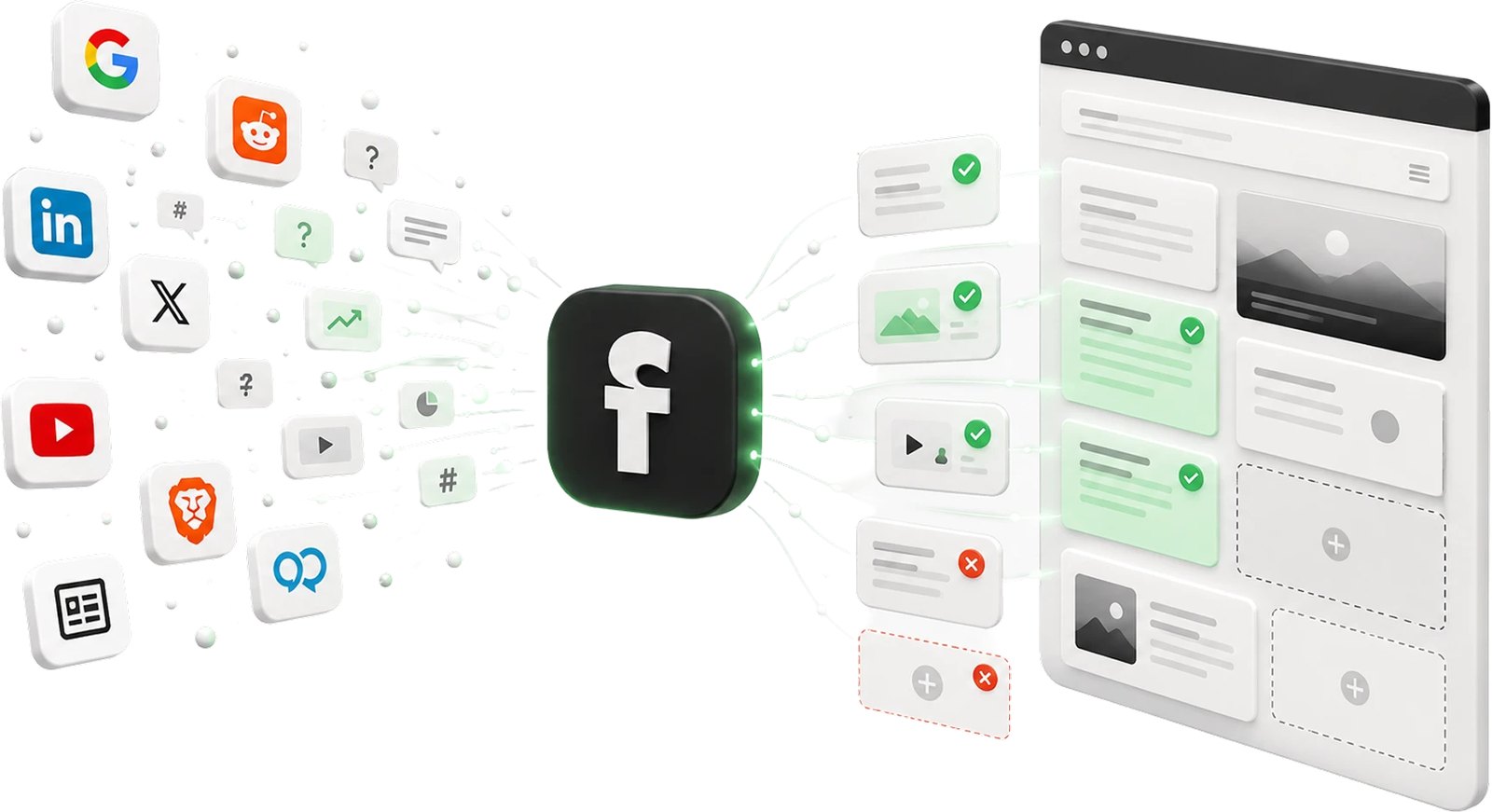
Since November 10, 2026, businesses can claim their profile in ChatGPT. OpenAI calls the program “Businesses in ChatGPT” and runs it through Business Hub. There you manage your website, description, category, logo and policies, and see how often ChatGPT points to your website. Outside the US, many claims currently end on a waitlist. Here is how to join it: sign in to ChatGPT, open Business Hub at chatgpt.com/business-hub, search for your business, select the listing and click “Join waitlist”. OpenAI emails you when you can continue. It gives no date.
- The profile is free and officially called “Businesses in ChatGPT”. It has nothing to do with the ChatGPT Business subscription for teams.
- A profile often exists before you claim it. OpenAI builds listings itself and adds information from other sources.
- There are two checks: first proof that you represent the business, then an identity check through the provider Persona.
- The waitlist appears in no official OpenAI source. It has been reported from Germany and Brazil, and our own claim ended there too.
- Business Agents, your own chat assistant on the profile, are US-only for now.
- A claimed profile doesn't improve your placement. OpenAI says so explicitly.
What is the business profile in ChatGPT?
When a business appears in a ChatGPT answer, people can click its name and see a profile. Since November 10, 2026, businesses can take over that profile themselves. OpenAI launched “Businesses in ChatGPT” as a beta for this (OpenAI). The program has two parts:
- Business Hub: where you claim the profile, maintain its details and see metrics. Once approved, you can change the website, description, product or service category, logo, and delivery and return policies, plus a cover photo and other optional details. Retailers can connect a product feed with prices and availability.
- Business Agents: a chat assistant that answers questions about products and policies using the information you provide. The conversation is labeled and runs separately from ChatGPT's own answer. The agent can't complete purchases, make bookings or look up orders. It links to your website instead.
Two points matter before you invest time. First, claiming is free, and you need neither an Ads account nor an Enterprise agreement (OpenAI Help Center). Second, the profile doesn't change recommendations: “Claiming does not guarantee higher placement or sales,” OpenAI writes on its product page. According to OpenAI, advertising doesn't influence the independent answers either. And ChatGPT may still use other sources when it talks about your business.
What is available outside the US?
Officially, any eligible business can claim a profile wherever ChatGPT is available. Eligibility depends on industry, location and OpenAI's checks. In the beta, though, much is limited to the US:
| Feature | Status outside the US | Source |
|---|---|---|
| Claim a profile (online business with a website) | Possible in principle, but at launch often only via the waitlist | OpenAI, tests by German agencies |
| Add a new profile if none exists | Intended for eligible online businesses | OpenAI Help Center |
| Local stores and restaurants | Currently only existing US listings | OpenAI Help Center |
| Business Agent | Only for eligible ecommerce and online service businesses in the US | OpenAI |
| Insights | After approval and the Persona check, once there is enough activity | OpenAI Help Center |
OpenAI plans to expand the program “to more markets and business categories”. The announcement gives no dates.
How do you join the waitlist?
The waitlist isn't mentioned in the announcement or the Help Center. It only shows up during the claim. The German agency KKP tested the flow from Germany on launch day and documented it with screenshots. PPC Land reports the same from Brazil. Our own claim for sitebrunch GmbH in Hamburg also landed on the waitlist on November 11. Based on these reports and the Help Center, the steps are:
- Sign in to ChatGPT. Use the account you want to manage the profile with, ideally with an email address on your company's domain. If an invitation arrives by email later, you have to sign in with exactly the address it was sent to.
- Open Business Hub. Either from the ChatGPT sidebar or directly at chatgpt.com/business-hub.
- Search for your business. Enter the name. Above the results is the option “Create ‘…’” for adding a new profile. Existing listings with their address appear below it. Pick the listing with the correct address. If one already exists, don't create a second one. By continuing, you accept OpenAI's Businesses in ChatGPT Terms.
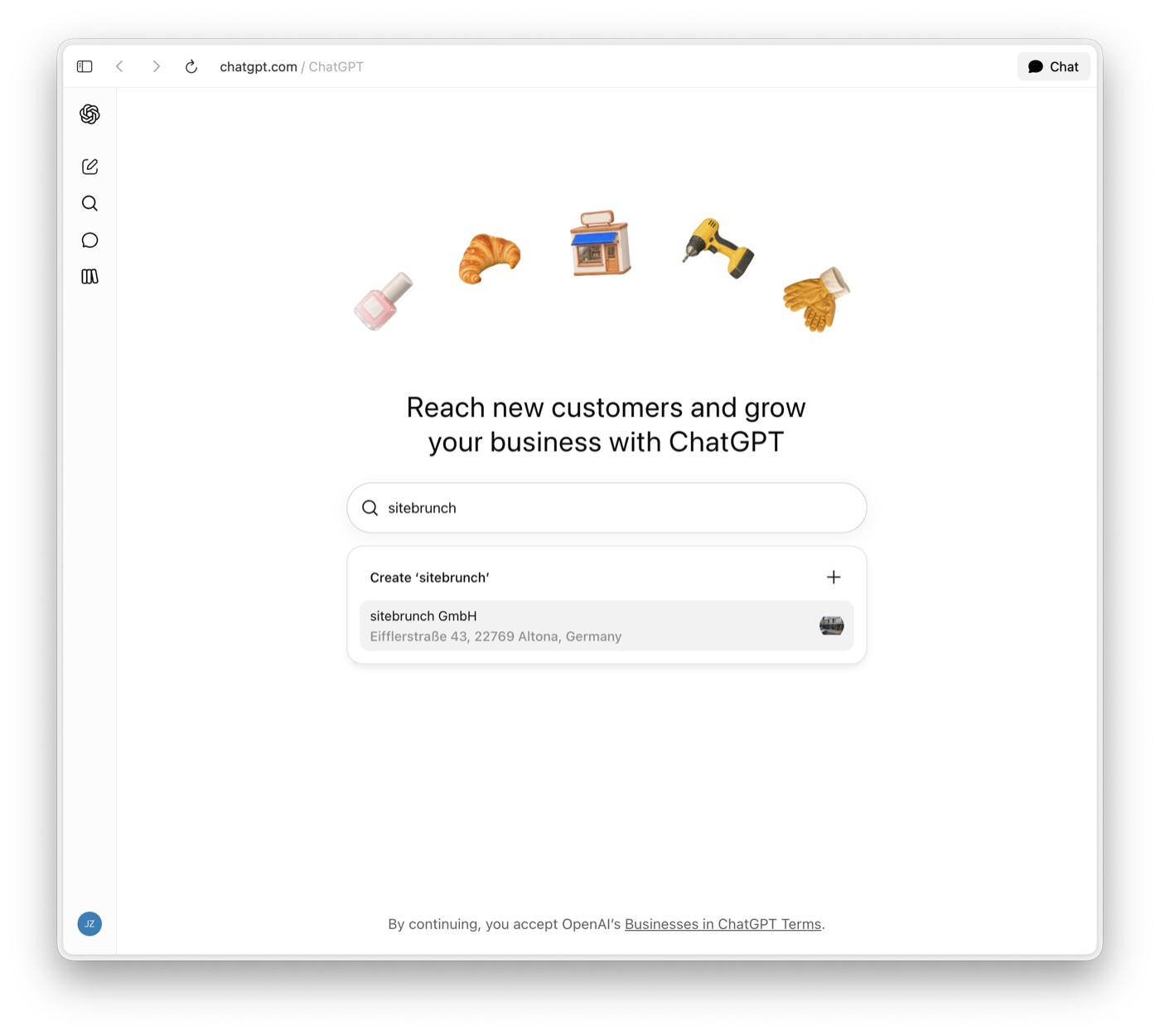
The Business Hub search finds the existing listing for sitebrunch GmbH. - Start the claim. The window “Claim … in ChatGPT” opens. It promises three things: see how often the business is mentioned in ChatGPT, keep products and details up to date, and let a business agent answer questions. The agent is only available in the US, though. Below that, it says you need to verify that you're authorized to represent the business. Click “Get started”.
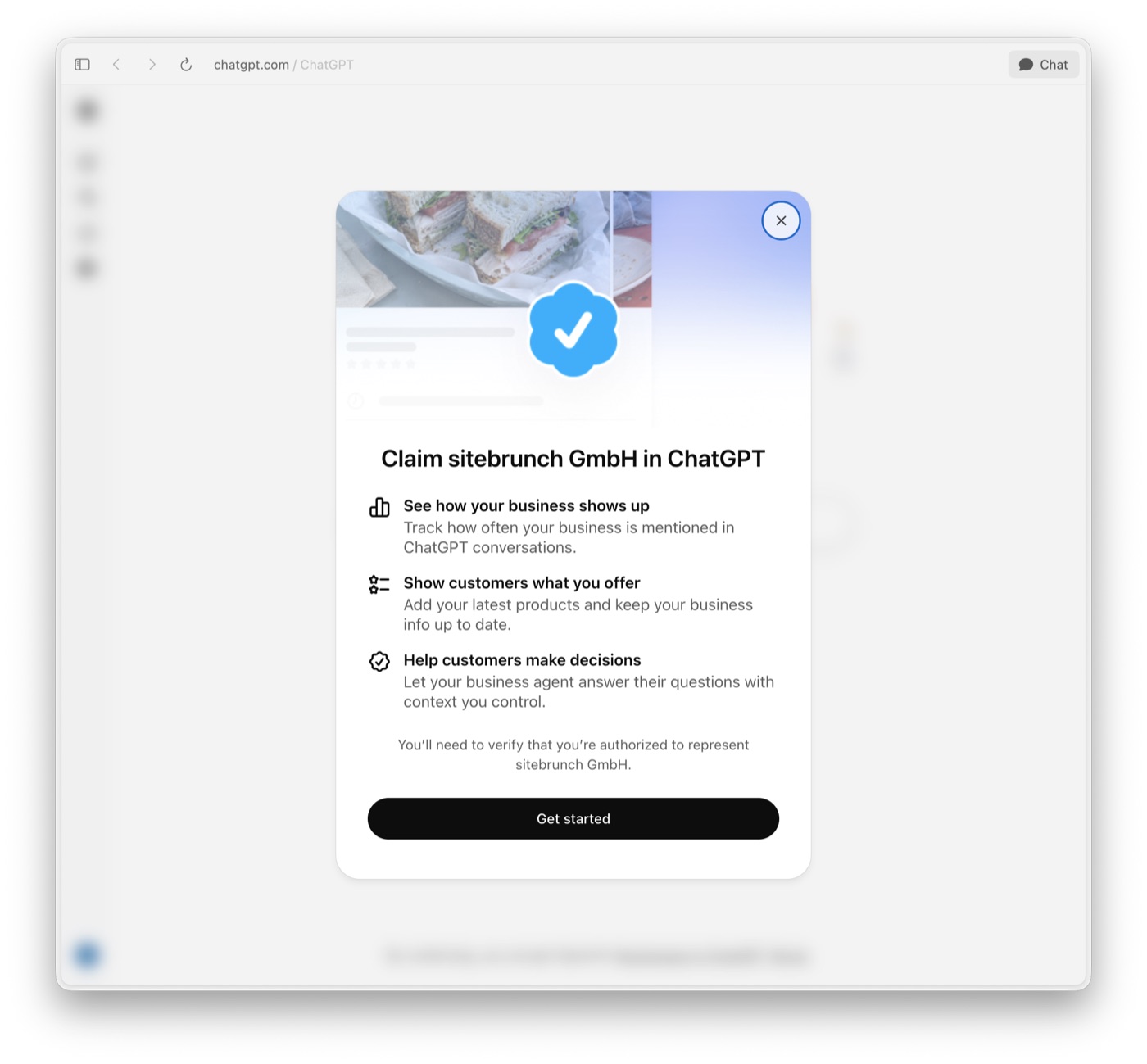
In Germany, “Get started” currently leads to the waitlist instead of verification. - Join the waitlist. If your business hasn't been opened up yet, you see the page “Join the waitlist to claim …” instead of verification. OpenAI explains there that it is gradually opening access to more businesses. One click on “Join waitlist” is enough. According to KKP, there are no form fields.
- Wait for the email. The confirmation “You’re on the waitlist” shows which address OpenAI will write to: the one on your ChatGPT account. An email arrives there once you can continue. Verification follows after that, see the next section.
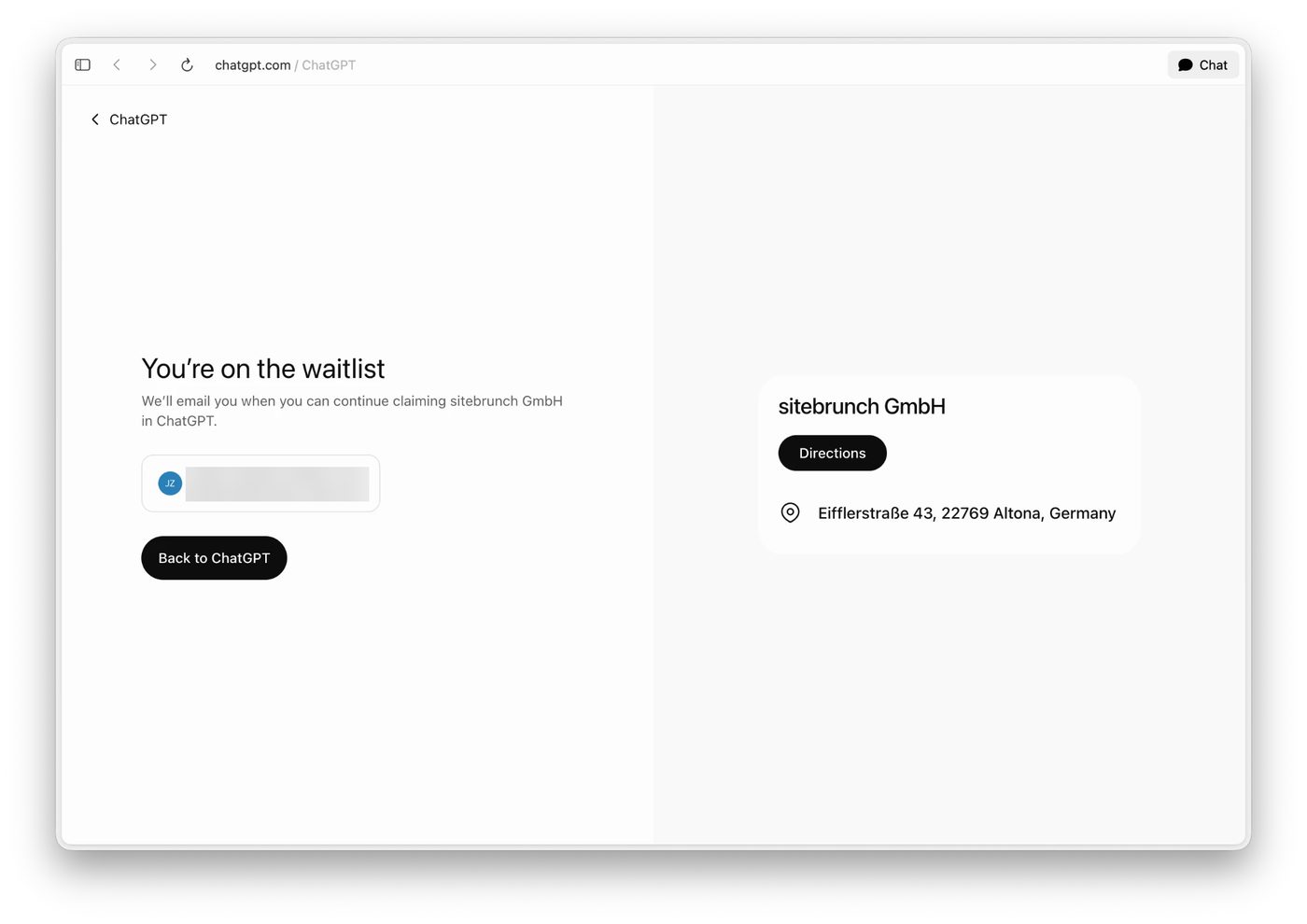
Our claim for sitebrunch GmbH on November 11, 2026: on the waitlist. Email address blurred.
No shortcut is documented. OpenAI only says that existing Enterprise customers and advertisers can claim their profile through their OpenAI representative. Whether that skips the waitlist, OpenAI doesn't say. If you see “Contact support” after selecting the listing, it is locked. Then the only option is a support request.
What can you prepare while you wait?
After the waitlist come two checks, and both need documents. Have them ready and you lose no time once the email arrives.
- Settle on a verification method. Depending on the business, OpenAI offers a code by text or call to the business phone, a code to the business email address, a TXT record in your domain's DNS, or a Shopify store login. For DNS, you need access to domain management or someone who can add the record for you. DNS changes can take time.
- Prepare documents for Persona. Without the Persona identity check you can't publish changes, connect a feed or see insights. You may be asked for a government-issued ID, business registration details and proof that you're authorized to represent the business. Name, address and registration or tax number must match your official records (OpenAI Help Center).
- Write the profile texts. Description, category, delivery and return policies: draft them now, and make sure they match your website. OpenAI reviews every change before it appears, and ChatGPT checks it against other sources. If profile and website contradict each other, the profile doesn't win automatically.
- Keep your website readable for ChatGPT. For online businesses, Business Hub only counts a mention when ChatGPT points to your website. That requires OAI-SearchBot to be allowed to fetch your pages. How to separate this cleanly in robots.txt is covered in Which AI crawlers should I allow? Whether you can get into ChatGPT's index at all, you can check with Bing index vs. ChatGPT index.
- Measure a baseline. Ask ChatGPT a fixed list of real customer questions now and note whether your business is named or cited. That way you see later whether anything changes after the profile. How to do this repeatably is explained in Measuring visibility in ChatGPT.
If someone else has already claimed your business, open the profile, choose “Dispute ownership” in the menu (•••) and verify yourself through Persona. According to OpenAI, support can't delete or hide a published profile. Only unpublished drafts can be deleted.
What do the insights show, and what not?
The insights in Business Hub cover the past 28 days. OpenAI names three metrics (OpenAI Help Center):
- Mentions: for online businesses, only when ChatGPT references the website. An answer that only names the brand doesn't count. For local businesses, every answer where the location shows up as a result counts.
- Website clicks: how often someone clicks a link to your website. According to the note in the Hub, clicks confirm neither visits nor conversions.
- Discovery topics: themes that come up often in answers related to your business. They don't show individual prompts.
You don't get to see conversations with ChatGPT or your Business Agent. Values only appear above a minimum level of activity that OpenAI doesn't quantify. A blank field therefore doesn't mean zero. For content work, that leaves out the most important part: which questions were asked, and where you are missing. Only your own measurement with a fixed question list closes that gap. Our Answer Check compares every question with your website and shows where the answer is or what it lacks. The insights in Business Hub then work as a cross-check: do mentions and clicks rise after you've added answers?
Is the business profile the same as ChatGPT Business?
+
No. ChatGPT Business is the paid subscription for teams, formerly ChatGPT Team. The profile is called “Businesses in ChatGPT”, is free and is managed in Business Hub. The waitlist for Premium seats in the ChatGPT Business subscription is a different list, too.
How long is the waitlist?
+
OpenAI doesn't say. The Help Center gives no timeframe for the review afterwards either, only that the decision comes by email.
Do I get a blue check with the profile?
+
Only after the Persona check. According to the Help Center, claiming alone isn't enough. The blue check appears once OpenAI has approved your Persona submission.
Can an agency manage the profile for me?
+
Yes. The person who claimed the profile can add teammates in Business Hub and give an agency access. Everyone uses their own ChatGPT account. Don't forward a personal claim invitation.
I have several brands or locations. What applies?
+
Each brand is claimed and managed separately. Central management for a parent company isn't available yet. Claiming the main brand doesn't claim its locations.